Mason External CS2
General Information
- Supported game version: Steam
- Supported game mode: Windowed / Borderless fullscreen / Fullscreen
- Supported Windows OS: Windows 10 & 11 x64
- Supported anti-cheats: Valve Anti-Cheat
- Supported processors: Intel and AMD
- Video or screenshot invisibility support: No
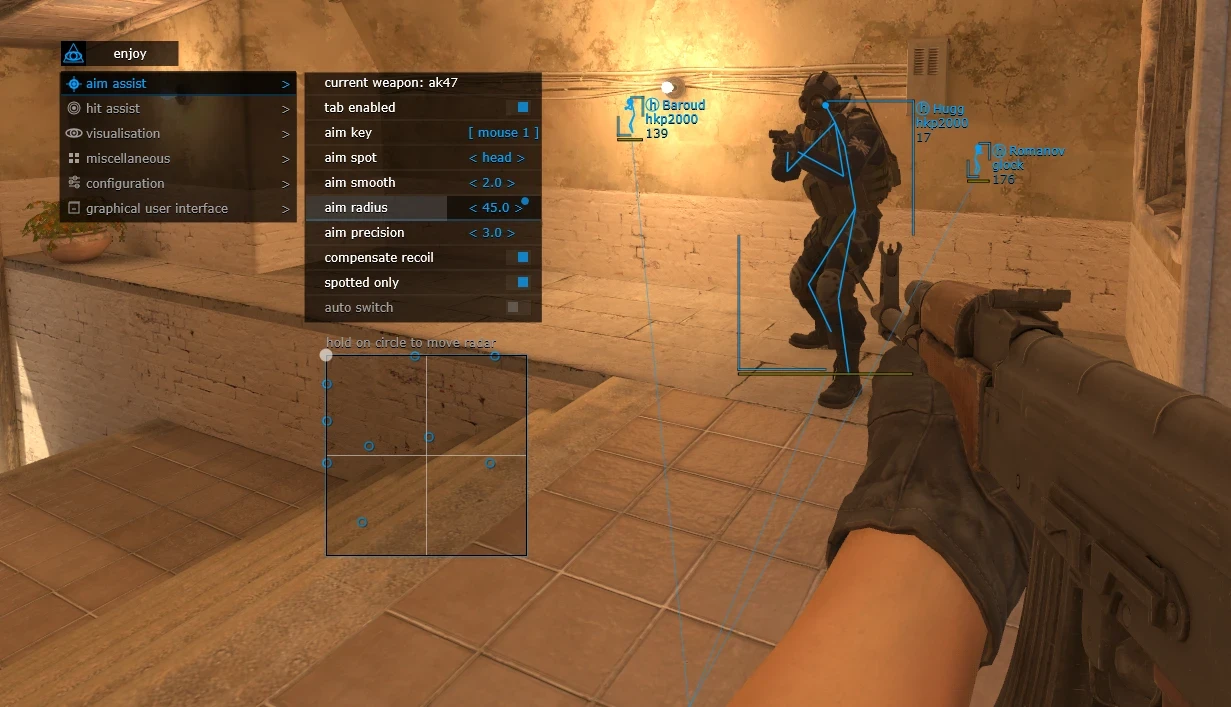
Aimbot & Weapon
- Current weapon / Settings for the selected weapon
- Tab enable / Enable aimbot
- Aim key / Set the key for aimbot operation. To use the aimbot, the selected key must be pressed and held.
- Aim spot / Set the body part for the aimbot to target
- Aim smooth / Set the smoothness of the aimbot aiming
- Aim radius / Set the operating radius of the aimbot
- Aim precision / Set the aiming precision of the aimbot
- Compensate recoil / Enable weapon recoil compensation while the aimbot function is active
- Spotted only / Set the aimbot to work only on enemies visible on the radar
- Auto switch / Automatically switch targets after killing the current target
- RCS threshold / Allows adjustment of the level of recoil compensation by the aimbot
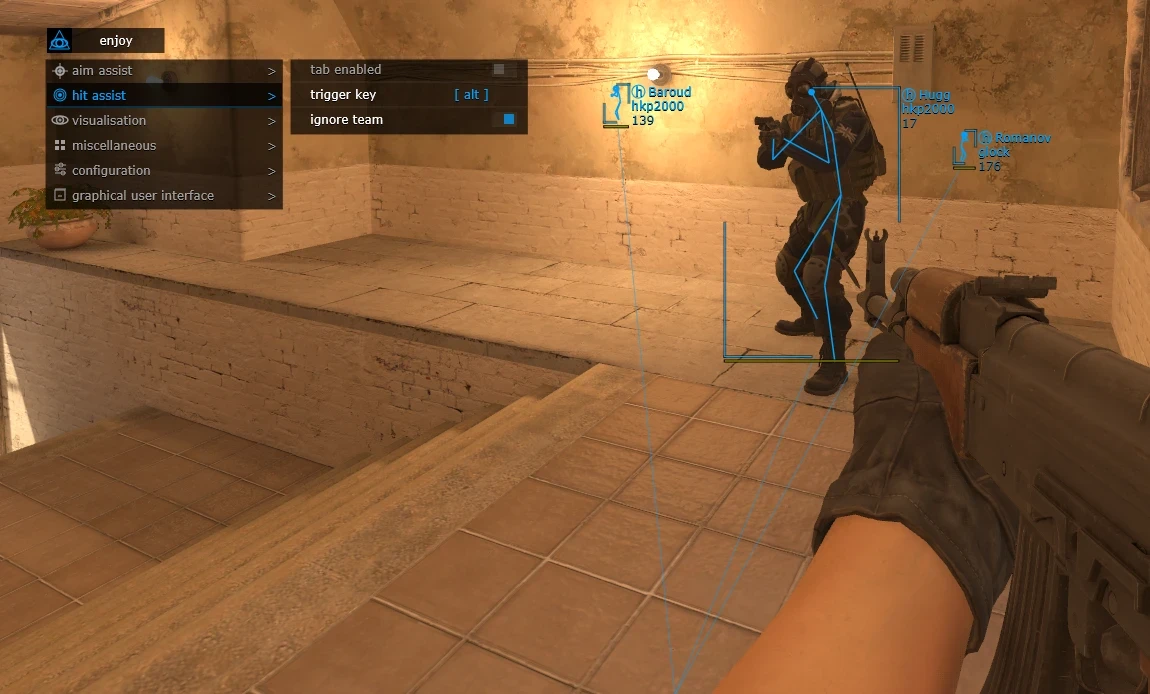
- Trigger delay / Allows adjustment of the delay before the triggerbot activates
- Tab enable / Enable triggerbot- Trigger key / Set the key for triggerbot operation
- Ignore team / Enable the triggerbot to ignore your own team
Visuals
- Tab enable / Enable visual functions
- Show bounding box / Display a 2D box around players
- Show skeleton / Display player skeletons
- Show snaplines / Display lines to players
- Show player weapon / Display players’ weapons
- Show player health / Display opponents’ health
- Show player name / Display players’ nicknames
- Show player equipment / Display opponents’ equipment
- Show planted C4 / Display the location of the planted C4 and the time until explosion
- Show distance / Display the distance to opponents
- Ignore team / Enable ignoring your own team
- Ignore spotted / Enable ignoring “visible” players
Configuration
- Save CPU / Save processor resources
- Load config from clipboard / Load a saved settings configuration
- Save config to clipboard / Save the selected settings to the clipboard
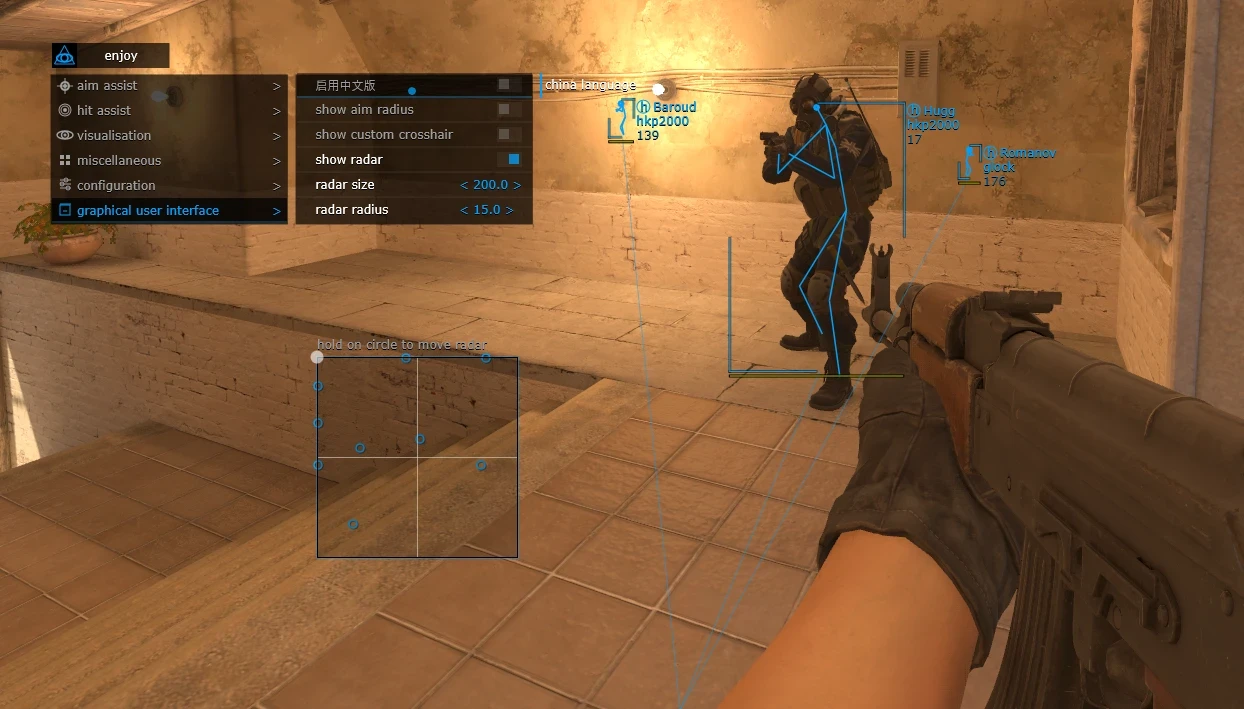
Gui
- Gui Menu language selection / Select menu language. Available languages: English / Chinese
- Show aim radius / Display the aimbot operating radius
- Show custom crosshair / Display a crosshair in the center of your screen
- Show radar / Enable radar. To move the radar on the screen, hover the mouse pointer over the radar, hold the left mouse button, and drag it.
- Radar size / Set the radar size
- Radar radius / Set the radar radius
- The program’s functionality may be changed at any time at the developer’s discretion, but we always try to keep the information up to date.
NFACS2 / PRODUCT GUIDE
CS2 Software: Features, Plans and Support
Compare the details for Mason External CS2, including its available options, current prices and delivery instructions.
Compare the exact feature set
Read the feature list and requirements for Mason External CS2 above. Internal and external listings can differ in their setup, supported systems and included features. Screenshots illustrate the listed product; check the text for the current requirements.
Choose the access period you need
Available plans and their prices appear in the variant picker. Select an available option and review the final total before payment. Plans, stock and compatibility can change following software or game updates.
Review product status
Check the current published status and ask support about unclear requirements before purchasing. A status label describes a current update; it does not guarantee future availability or prevent account restrictions.
Delivery and support
After payment, use your order page and delivery email for the supplied key, access details and product-specific instructions. Keep your order reference when contacting NFACS2 support. Keep keys and account details out of public messages.
Mason External CS2 — purchasing FAQ
Where can I compare all available options?
Use the variant picker on this page and the NFACS2 catalog to compare listings, current prices and availability.
How do I receive my purchase?
Read the delivery information on the order page and in your delivery email after payment. The instructions depend on the product you selected.
Where can I ask about compatibility or an order?
Join discord.gg/nfas with the product name and order reference, if you have already ordered.
Connectez-vous à votre compte
No matches here — press Enter to search everything.
Saisissez du texte pour rechercher des produits.