Arcane CS2
General Information
- Supported game version: Steam
- Supported game mode: Windowed / Borderless fullscreen / Fullscreen
- Supported Windows OS: Windows 10 & 11 x64
- Supported anti-cheats: Valve Anti-Cheat
- Supported processors: Intel and AMD
- Video or screenshot invisibility support: No
Aimbot & Weapon
- Enabled - activate automatic aim assist
- Aim Key - key to activate aimbot (hold)
- Aim Mode - aimbot working mode (hold key, always on)
- Aim Lock - aim sticks to the target until it is eliminated
- On Teammate - aim at teammates
- Visible Check - aim only at visible targets
- Bones - select the hitbox the aimbot aims at (head, chest, body, etc.)
- Target Type - principle of choosing the hitbox (selected bones, closest to crosshair, random)
- Draw FOV - display aimbot area as a circle
- Dynamic FOV - aimbot area changes depending on the weapon (configurable)
- FOV - aimbot action radius
- Smooth - smoothing level of aimbot movements
- Switch Delay - delay between switching targets
- RCS - recoil control system
- Return Camera - returns crosshair to original position after shooting
- Triggerbot - automatically fires when an enemy is in the crosshair (flexible settings)
Visuals
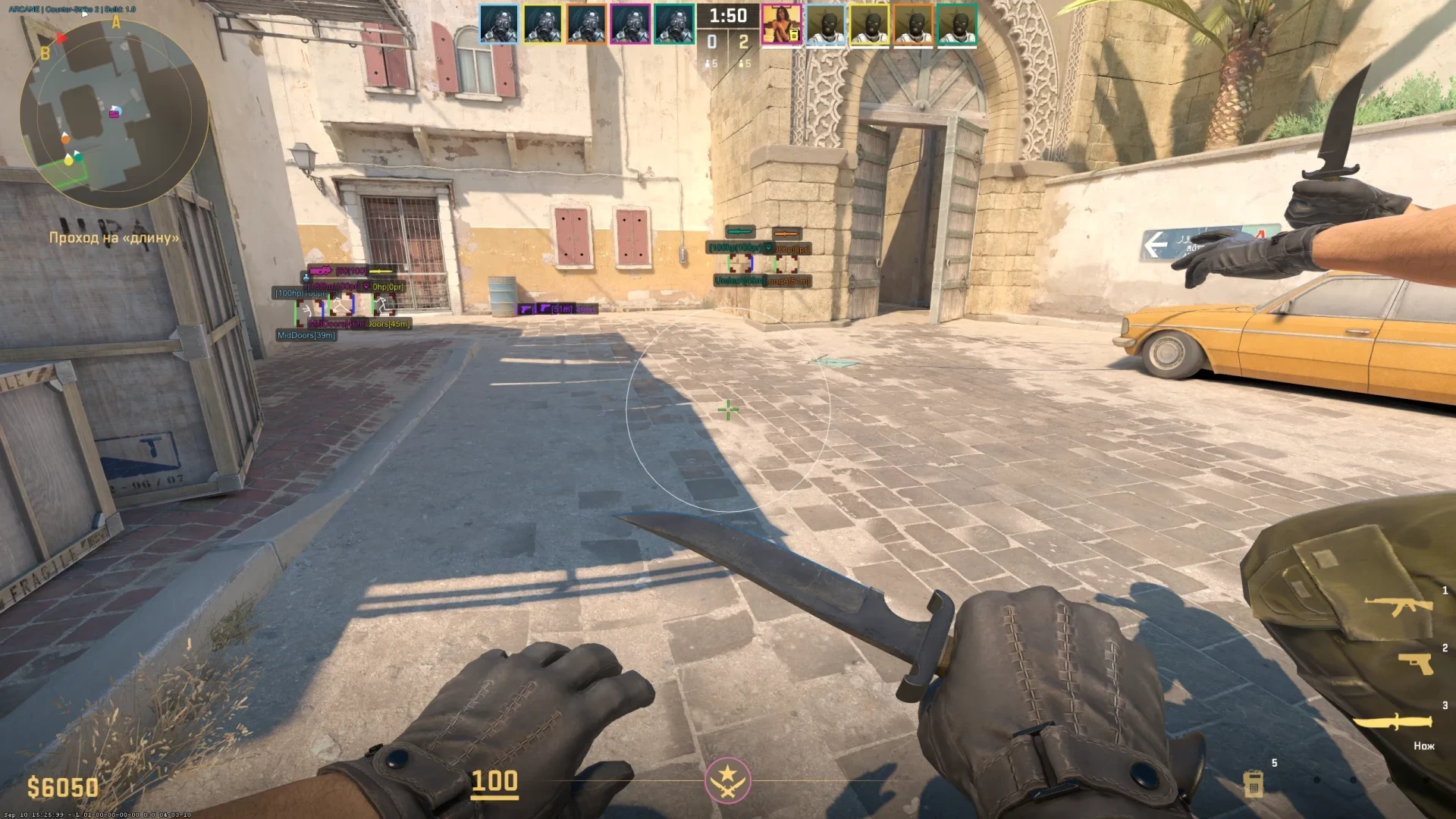
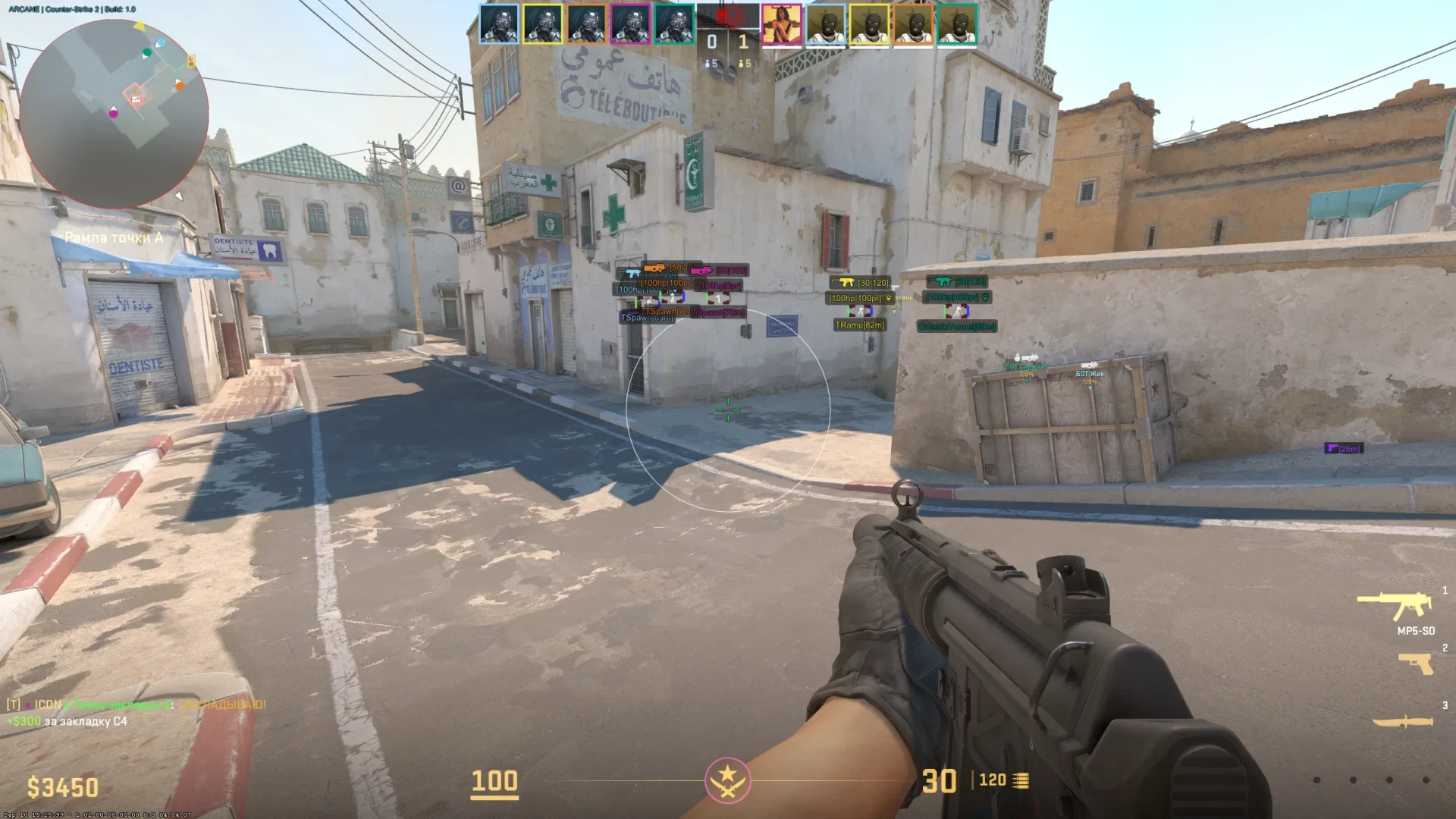
- Enable - enable ESP for players
- Visible Check - visible/invisible players highlighted in different colors
- Teammates - display ESP on teammates
- Snaplines - ESP lines to targets
- Boxes - ESP in box/rectangle form
- Box Style - style of boxes (full, corners only)
- Box Filled - fill inside boxes for better visibility
- Custom Colors - configure box colors (team, enemies, visible/invisible, etc.)
- Health Bar - display player HP as a bar
- Armor Bar - display armor level as a bar
- Head Dot - display a dot on players' heads
- Skeleton - ESP in skeleton form
- Names - show player nicknames
- View Line - show players' view direction
- Position - display player's curr
Enable - enable/disable ESP for items- Name Type - type of item display (icon, text)
- Cirlce - marks a circle with corresponding color above the item
- Opacity - reduces opacity when hovering over an item (configurable)
- Sniper Rifles
- Automatic Weapons
- Shotguns and Heavy Weapons
- Submachine Guns (SMG)
- Pistols
- Grenades
- C4, taser and defuse kits
Misc
- Map Ray Tracer - displays tracer lines on the selected map
- Radar - radar showing players (always on, or while holding Tab)
- Bomb Timer - shows time until the bomb explodes
- Anti-Flash - ignore flashbang blinding effect
- BunnyHop - automatic bunnyhopping
- Auto Fire - automatic firing for pistols
- Crosshair - custom crosshair in the center of the screen (configurable)
- Menu Key - assign your own key to open the cheat menu
- Unload Key - key to unload the cheat from the game
- Themes - two theme options (light, dark)
- Languages - menu supports 3 languages (English, Russian, Chinese)
- Configs - profile system with cheat settings for different playstyles (create, share, load, save, edit, delete)
- The program’s functionality may be changed at any time at the developer’s discretion, but we always try to keep the information up to date.
NFACS2 / PRODUCT GUIDE
CS2 Software: Features, Plans and Support
Compare the details for Arcane CS2, including its available options, current prices and delivery instructions.
Compare the exact feature set
Read the feature list and requirements for Arcane CS2 above. Internal and external listings can differ in their setup, supported systems and included features. Screenshots illustrate the listed product; check the text for the current requirements.
Choose the access period you need
Available plans and their prices appear in the variant picker. Select an available option and review the final total before payment. Plans, stock and compatibility can change following software or game updates.
Review product status
Check the current published status and ask support about unclear requirements before purchasing. A status label describes a current update; it does not guarantee future availability or prevent account restrictions.
Delivery and support
After payment, use your order page and delivery email for the supplied key, access details and product-specific instructions. Keep your order reference when contacting NFACS2 support. Keep keys and account details out of public messages.
Arcane CS2 — purchasing FAQ
Where can I compare all available options?
Use the variant picker on this page and the NFACS2 catalog to compare listings, current prices and availability.
How do I receive my purchase?
Read the delivery information on the order page and in your delivery email after payment. The instructions depend on the product you selected.
Where can I ask about compatibility or an order?
Join discord.gg/nfas with the product name and order reference, if you have already ordered.
Inicia sesión en tu cuenta
No matches here — press Enter to search everything.
Escribe para buscar productos.